Latest News from the Mayday team

Mayday reviews your accounting data to suggest potential accruals and reversals, helping your team identify what might otherwise get missed at month end 🤖

You stay in control, with every suggestion ready to review, edit, approve or reject before it’s added to your schedule.
You can set up recurring or ad-hoc accruals in Mayday, manage the cost and revenue schedules, and post your journals, all in one place.
Check out the set up guide here 🌟
Flux allows you to quickly explain anomalies in your P&L with the help of AI-generated commentary

P&L variances are automatically calculated based on numerical and percentage changes, so finance teams can quickly see where fluctuations have occurred month on month. Teams can then drill into nominals and underlying transactions to understand what has changed.
Flux can help teams create variance commentary with AI-generated suggestions. Commentary can also be written manually, edited by the team, and added at nominal or total level, helping keep month-end reporting clear, consistent and informative.
Check out the set up guide here.
Being able to split the recharge postings and post more than one set of recharges a month, is one of the most common requests we get, so I'm really happy to announce that you can now run more than one recharge within the same period and you're in full control of what gets recharged and when!

This is perfect for where you’d like to run a section of your recharges separately or on a different time frame e.g. Payroll, as you can pick and choose which rules to include in a recharge.
You can check out the full how to guide here
You can now manage the contacts across your group using Mayday HQ!
HQ highlights where your contacts are aligned, where there are matching contact names but not details:

and where contacts are missing across the group:

You can then easily fix any issues by clicking the plus button to create the contact in the missing entity, to get your group aligned:

Or by editing the contact details in the primary entity:

You can also create a new contact in every entity in the group, all in one go using the create new contact button!
Recharger has had a makeover! For now, nothing about the process will change, it will just look a bit different and you'll see more information in the transactions page, which will help you review your recharges more efficiently!
This is all part of a bigger overhaul we have planned in the next couple of months, to make Recharger more flexible and to allow you to post multiple recharges per period and take full control of what you recharge and when.
Being able to split the recharge postings and post more than one set of recharges a month, is one of the most common requests we get, and overhauling the transactions page is a step towards this as you'll need better clarity over what is included in each recharge.
Keep your eyes peeled for future updates, but for now, see the below video for a run through of what to expect from your new transactions page!
You can now filter your inbox based on many different criteria to make it easier and faster to find the transactions you want to apply treatments to!

If you use both the Prepayments and Deferred revenue products, you'll notice in the list view of the inbox we have removed the tabs which previously split your costs and revenues, as this can now be managed by the filters:

The Sync button has been moved to the top left corner of the side menu to give it more prominence in the product, make it easier to find and more accessible, and provide more information on the status of the sync

The calculations page has been redesigned and renamed to Recharges, to provide more information and give you a better overview of all of your recharges!

This is part 1 of some upcoming changes to the whole of Recharger, which will allow you to post multiple recharges per period giving you more control and flexibility. Keep your eyes peeled for more information on that soon!
Originally posted 17th September 2025
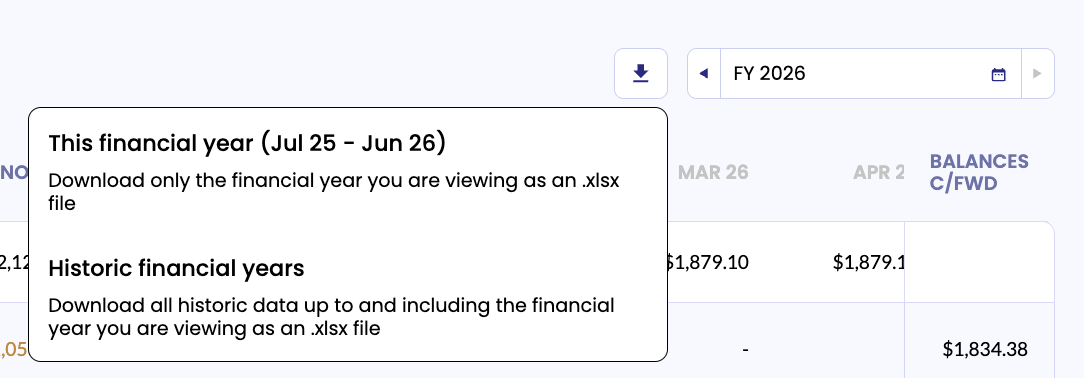
You can now export your Deferred Revenue and Prepayment schedules to excel! Using the download icon next to the date picker, you can choose if you want to download only the current financial year you're viewing, or all historic periods too:
Originally posted 13th August 2025
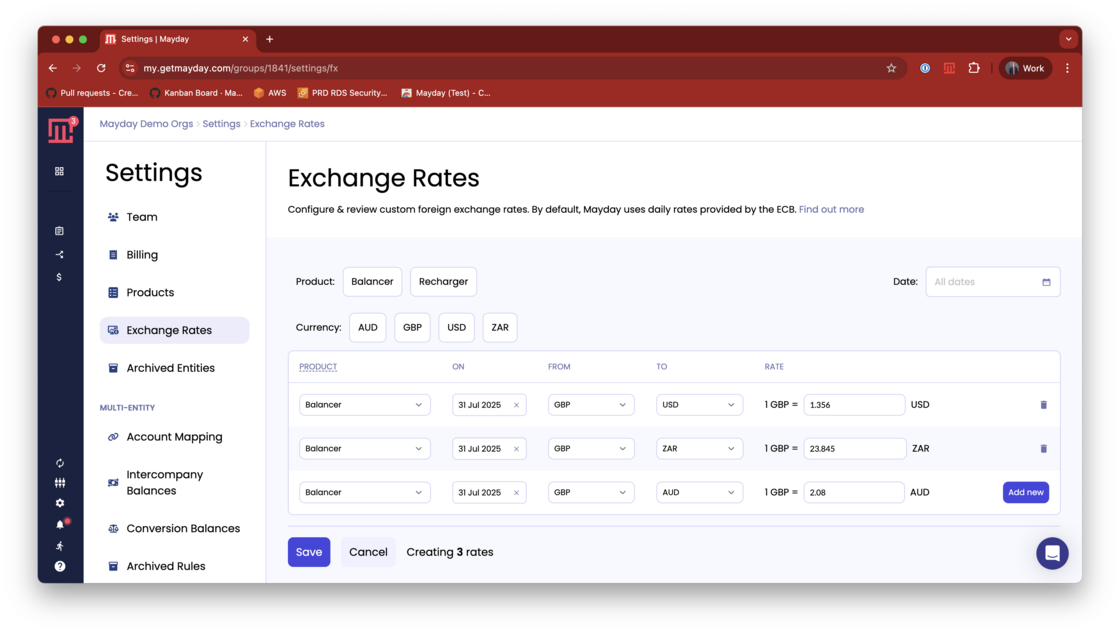
You can now add Exchange Rate overrides from the Settings > Exchange rates page. This allows you to set multiple overrides in a batch, making it much simpler to set up all the rates you need to use in one go.