
Latest News from the Mayday team

Originally posted 7th August 2025
You can now review spend money transactions as well as bills in your Prepayments inbox!
Simply head to Settings > Prepayments and update your settings to also show Spend Money Transactions:
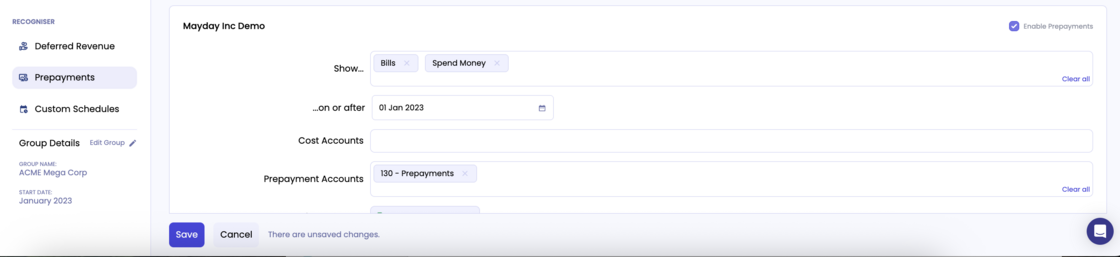
Hit save and you're all set!
Originally posted 16th July 2025
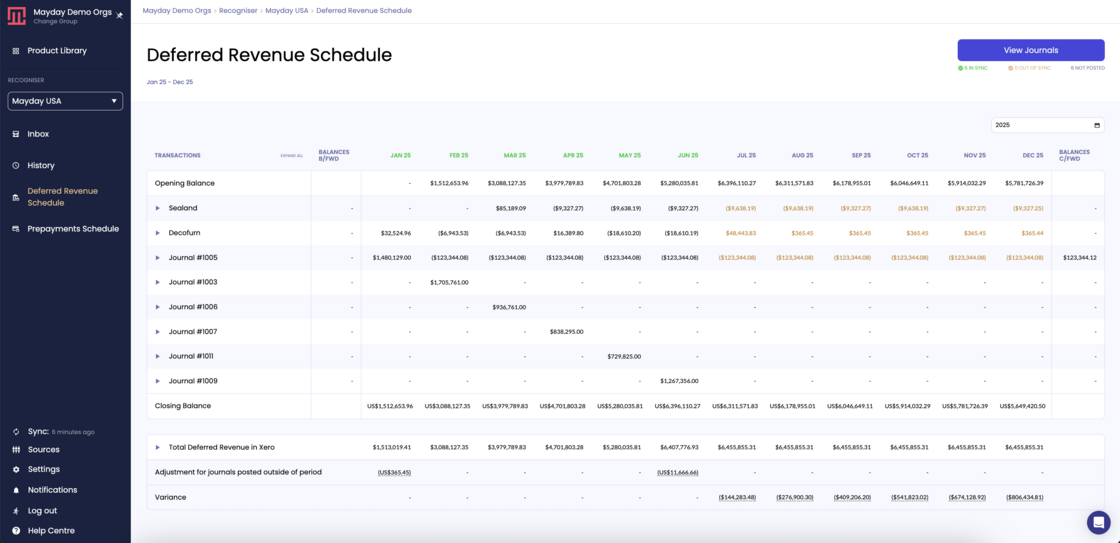
Are you tired of spending hours identifying, calculating and posting deferred revenue or prepayment schedules? Now, there's a better way....
Introducing two brand new products - Deferred Revenue and Prepayments! Built to automate every step of the process and make your month end close run even smoother!
Simply head to Settings > Products to activate your 30 day free trial! We can't wait to hear what you think!
Originally posted 19th May 2025
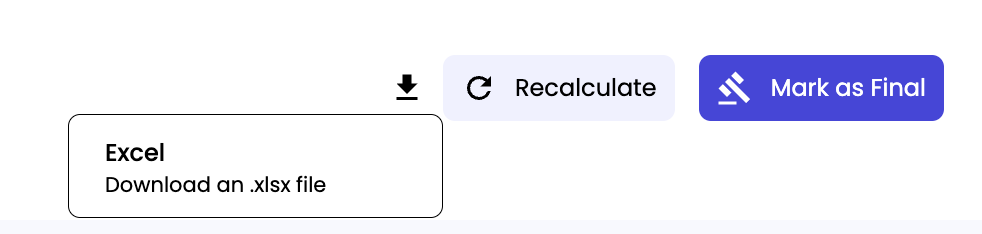
You can now export your Recharger calculations to excel! Just head to the download icon next to the "Recalculate" and "Mark as final" buttons, in the period you wish to export, and download the xlsx file!
Originally posted 24th April 2025
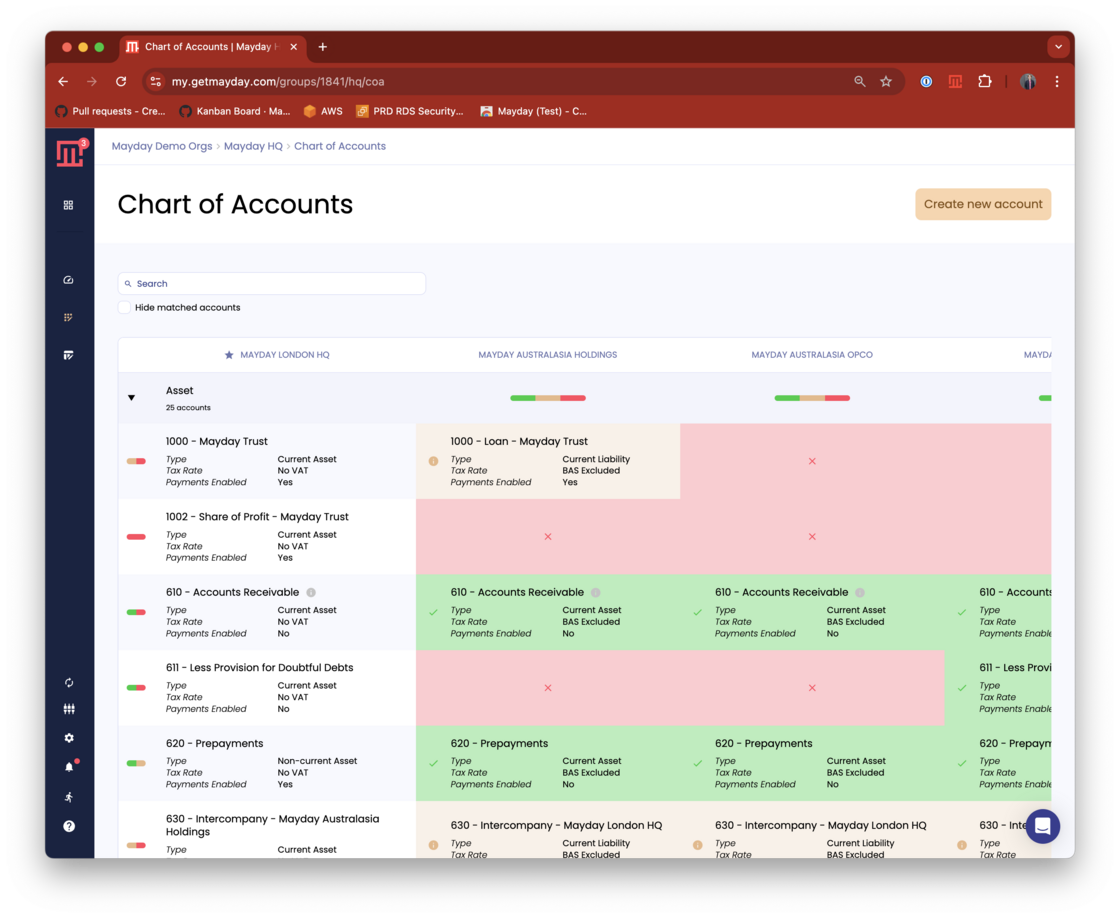
We've just released Mayday HQ, and all groups with multiple Xero orgs will automatically have access to it from the Product Library.
Mayday HQ is a fantastic tool for managing your Chart of Accounts and Tracking Categories across all the entities in your group. You can see where things align, where there are issues, and fix them across your group with one click. You can also use it to create new Accounts, Tracking Categories and Options in all your entities in one go.
Watch this video for more info!
Originally posted 10th April 2025
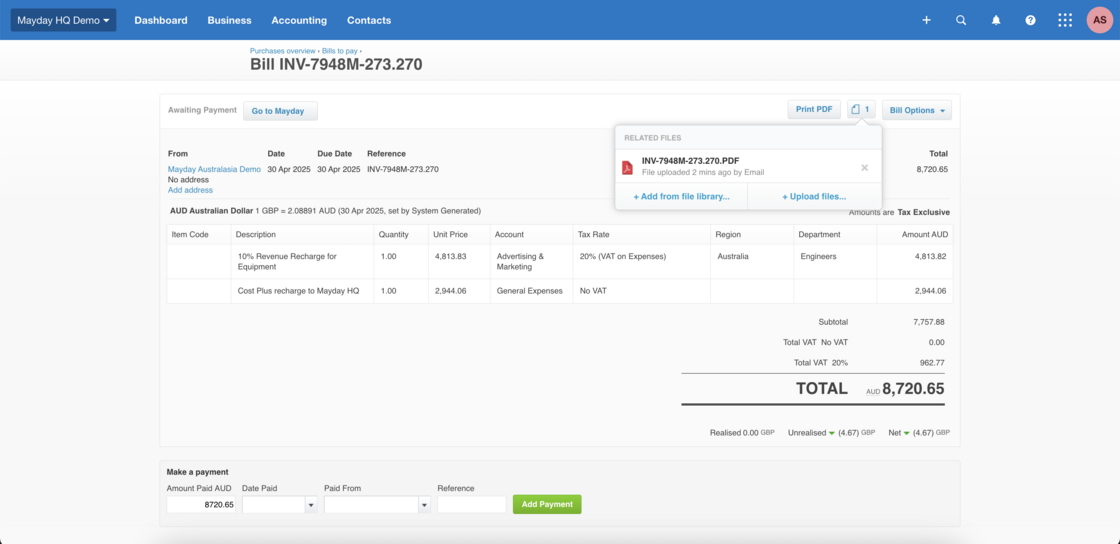
When you post your recharges as invoice and bill, Mayday will now automatically attach the relevant invoice as a pdf to the bill posting in Xero! All you need to do is follow the link to reauthorise and you're all set!
Originally posted 12th March 2025
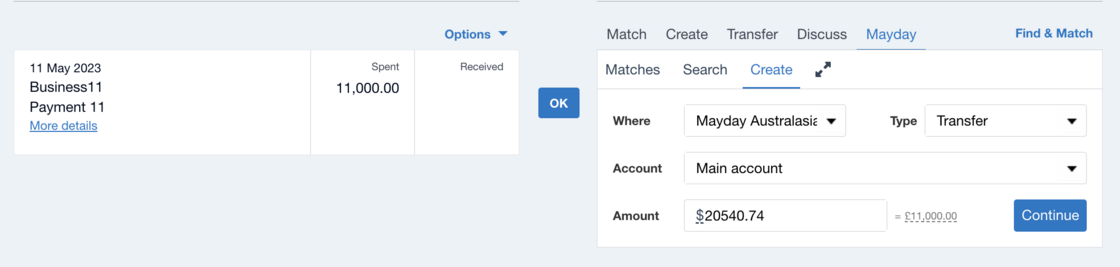
You can now reconcile bank transfers across entities using Mayday BRAG! Simply head to the Mayday create tab in your bank reconciliation screen, and select "Transfer" under type. For more information see this helpful article.
Originally posted 6th March 2025
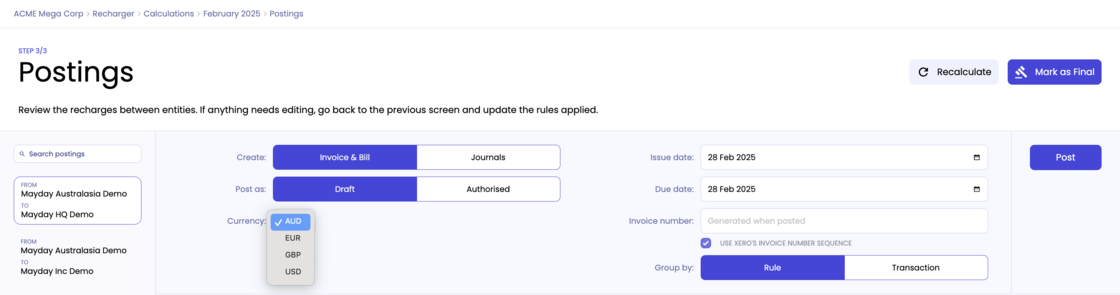
You can now choose to invoice in any currency enabled across both of the entities involved in a recharge. Simply select Invoice & Bill and then select a currency from the dropdown list available.
Originally posted 14th January 2025
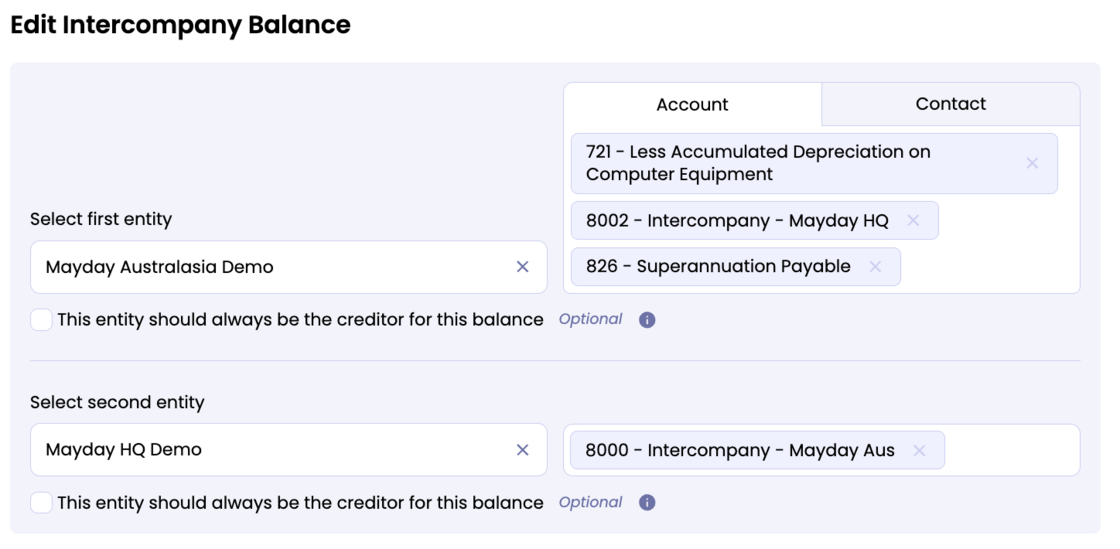
You can now create intercompany balances between many to many accounts or contacts in balancer! Either edit your existing balances or create a new intercompany balance and add as many accounts or contacts as you need!
Originally posted December 2024
You can now export your dashboard and matrix view to excel! Just head to the download icon next to the balancer settings and you will be able to select whether you want to export as a pdf or excel file!

Originally posted November 2024
We've made creating rules for Recharger even more flexible! We no longer restrict which account codes you can post to based on rule types.
We've also created excel downloads for Balancer transactions and Interest schedules - you'll now see a download button in the transaction detail page!
We'd love to hear any feedback so please let us know how you get on when you've had a chance to try these new features!